
Tips for Creating a More Organized and Productive Home Office Space
Creating a well-organized and productive home office can make a significant difference in your work-from-home experience. Whether you’re a freelancer, remote employee, or simply need a dedicated place for managing household tasks, an effective workspace helps maintain focus and reduce stress. Here are some helpful tips to help you design a home office that supports both organization and productivity.
1. Choose the Right Location
Pick a Quiet, Low-Traffic Area
Finding a dedicated spot for your home office is the first crucial step. Ideally, select a quiet area where you won’t be easily disturbed by other household activities. If space is limited, consider using a corner of a room or even a nook that can be reserved exclusively for work.
Natural Light Boosts Mood and Focus
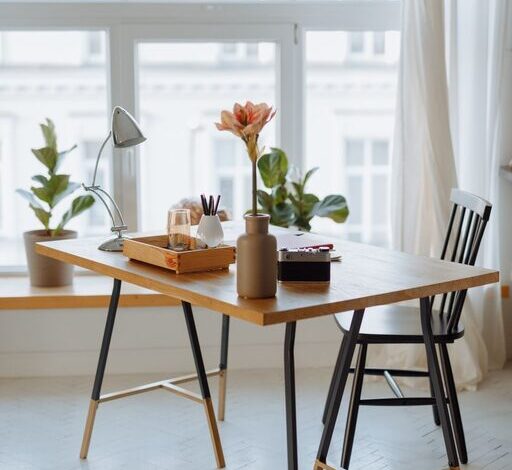
Try to position your desk near a window to take advantage of natural light. This not only improves your mood but also reduces eye strain during long work hours. If natural light isn’t an option, invest in good quality lighting that mimics daylight.
2. Invest in Functional Furniture
Ergonomic Desk and Chair
Comfort is essential for productivity. Choose an ergonomic chair that supports your back and encourages good posture. Pair it with a desk at the right height to avoid strain on your neck, shoulders, and wrists.
Utilize Storage Solutions
Clutter quickly diminishes focus. Opt for desks with built-in storage or use separate shelves, filing cabinets, or drawer organizers to keep supplies and documents neatly arranged.
3. Keep Your Workspace Organized
Declutter Daily
Spend a few minutes at the start or end of each workday tidying your desk. Put away unnecessary items, file papers, and organize tools to keep your space ready and inviting.
Use Organizational Tools
Label trays, drawers, and storage bins so you can easily find what you need. Use cable organizers to manage cords and keep your desk looking tidy.
4. Personalize Your Office Space
Add Inspiring Elements
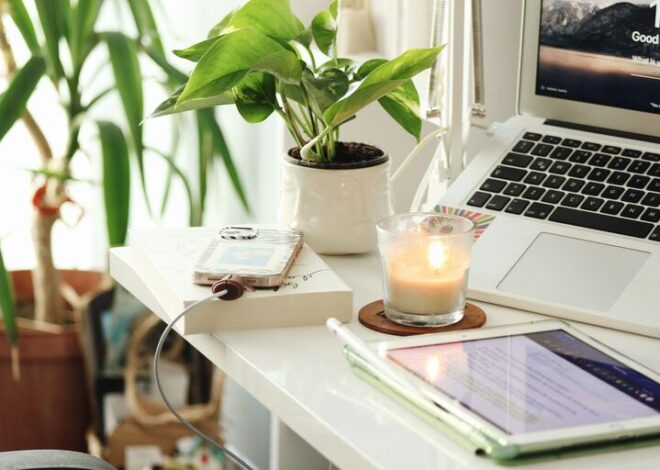
Include personal touches such as favorite photos, artwork, or plants to make your workspace inviting. A small plant can improve air quality and add a calming presence to your desk.
Minimize Distractions
While personalization is important, avoid overcrowding your workspace. Keep only essential items on your desk to maintain focus.
5. Set Up Technology Efficiently
Optimize Your Equipment Layout
Arrange your computer, monitor, keyboard, and mouse for ease of use. Position the monitor at eye level to prevent neck strain, and consider a wireless setup to reduce desktop clutter.
Use Reliable Internet and Backup Power
Ensure a stable internet connection to avoid interruptions. Having an uninterruptible power supply (UPS) can protect against power outages and keep your work safe.
6. Establish a Routine and Work Schedule
Define Your Work Hours
Set clear starting and ending times to your workday. Having a routine helps build discipline and separates work time from personal time.
Take Regular Breaks
Incorporate short breaks to stretch, hydrate, or step outside. Breaks prevent burnout and keep your mind refreshed throughout the day.
7. Manage Noise and Distractions
Use Noise-Canceling Headphones
If your space isn’t perfectly quiet, noise-canceling headphones can help block out background noise, allowing you to concentrate better.
Set Boundaries With Household Members
Communicate your work schedule to those you live with and set boundaries to minimize interruptions during your designated work hours.
8. Keep Your Office Supplies Handy
Stock Essential Items
Make sure pens, notebooks, chargers, and other frequently used supplies are within easy reach. Avoid having to search for items, which can disrupt your workflow.
Create a Charging Station
Designate a spot to charge your devices overnight or during work hours to keep them ready when you need them.
9. Maintain Good Air Quality and Comfort
Ventilation Matters
Good airflow helps maintain alertness and well-being. If you can open a window, do so periodically. Otherwise, consider an air purifier to improve the air quality.
Control Temperature
Ensure your workspace stays at a comfortable temperature year-round. Being too hot or too cold can negatively affect your ability to focus.
10. Review and Adjust Your Setup Regularly
Evaluate Your Productivity
Periodically assess whether your current setup supports your work habits. Make adjustments to improve comfort, workflow, or organization as needed.
Stay Flexible
Your needs may change over time, so be open to reorganizing or updating your space to maintain a productive environment.
—
Creating an organized and productive home office is an ongoing process, but with these tips, you can build a workspace that helps you stay focused, comfortable, and motivated. A thoughtfully arranged office supports your professional success and overall well-being while working from home.